

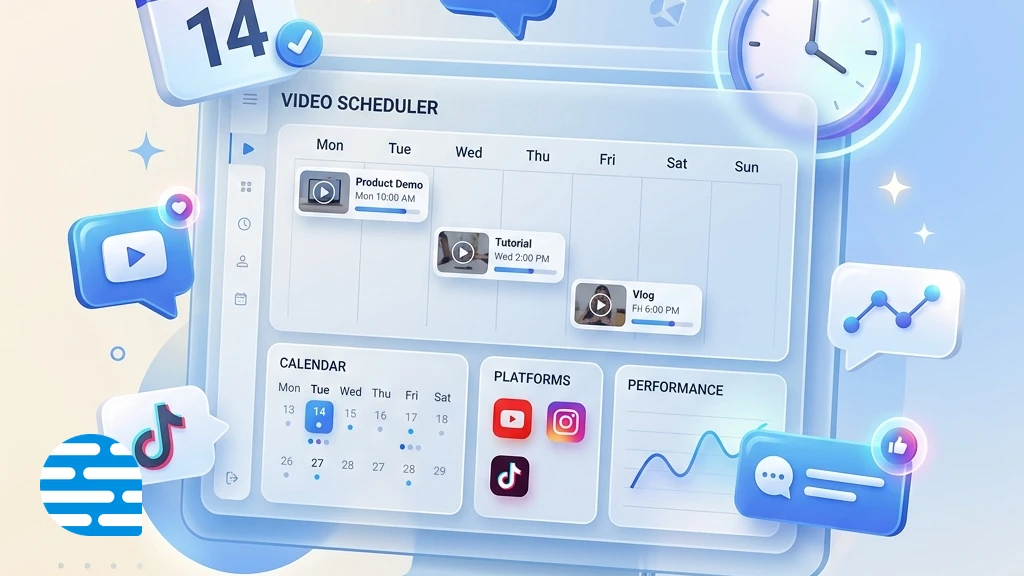
In the landscape of faceless social media channel automation, platforms that compile and post short-form videos automatically have become a popular choice. AutoShorts.ai is a leading service in this category, helping creators establish a continuous posting schedule on YouTube and TikTok from simple prompt series. By automating the script, AI voiceover, and visual selection, it allows channels to publish new posts daily without manual intervention.
However, as channel owners attempt to scale their portfolios or improve their content quality, they frequently encounter major limitations in the AutoShorts.ai workflow:
- Strict Niche and Channel Limits: Each AutoShorts subscription tier locks the user to a single niche series and a single channel link. Scaling a network of three channels in different niches requires managing three separate subscription plans, which quickly increases operational costs.
- Lack of Manual Control over Media and Scripts: AutoShorts is designed for hands-free automation, which limits the user’s ability to edit scripts, change video clips, or adjust narration timing. Without a dedicated AI script generator to craft custom hooks, this lack of control often produces generic visual loops and robotic transitions, which can lead to social media platforms flagging the channel for repetitive content or denying monetization.
If these constraints are slowing down your channel growth or affecting your video quality, exploring alternative platforms is a practical next step. Below, we compare the top alternatives to AutoShorts.ai available in 2026.
Quick Comparison
The following table outlines how each major alternative performs across core categories, helping you identify which tool fits your production needs.
The Best AutoShorts.ai Alternatives in 2026
To help you find the right tool, we have compiled detailed reviews of each alternative, looking at their editing features, pricing models, and how they compare directly to AutoShorts.ai.
Narasi AI
Editor PickBest AutoShorts Alternative for Direct Script Control and Custom Video Editing
Narasi AI is an all-in-one faceless short video generator and editor designed to help creators produce engaging short-form videos from text scripts. It offers a complete all-in-one generation flow, seamlessly guiding users from brainstorming content ideas to AI script generator crafting, ultra-realistic AI voiceover creation, auto-generated subtitles alignment, and AI B-roll compilation. Each of these steps is fully customizable, giving creators granular control over the final product.
The platform supports various content structures, including popular countdown-type formats and continuous series-type channel series. While hands-free social channel scheduling is currently on the product roadmap, the basic $15 per month plan offers enough video generation credits to compile 20-30 high-quality faceless videos, providing excellent value for scaling channels.
Key Capabilities
- AI Content Ideas Brainstormer
- AI Narration Script Generator
- AI Voiceover Engine
- Auto-Generated Captions & Subtitles
- AI B-Roll Generator & Footage Sync
- Step-by-Step Customizable Video Timeline
Pros
- + Cheaper starting price of $15/month compared to AutoShorts' tiered plans
- + Includes enough monthly credits to generate 20-30 faceless videos
- + Allows running multiple niche campaigns on a single subscription plan
- + Provides full script editing and built-in content ideas generation before rendering
- + More manual editing control over video assets, subtitle styles, and visuals, leading to higher quality content
Cons / Limitations
- - Does not support fully automated daily scheduling and social channel auto-posting yet
- - Voice selections are currently more limited compared to specialized TTS generators
Verdict: Choose Narasi AI if you prioritize video production quality, script control, and value for money over fully automated posting.
ShortFaceless
Best AutoShorts Alternative for Simple, Unlimited Regenerations
ShortFaceless is an AI-powered video generator designed to simplify the production of faceless mobile videos. The platform generates scripts, voices, and subtitle layers, and supports direct auto-posting to YouTube.
The starting tier is $19 per month for 30 videos. It focuses on offering a quick creation pipeline, but does not provide advanced layer-based timeline video editing tools.
Key Capabilities
- Unlimited script and voiceover regeneration
- Direct YouTube channel integration
- Basic script writing editor and topic brain
Pros
- + Offers unlimited regenerations of scripts, voiceovers, and images before finalizing
- + Includes a content idea generator and built-in script assistant
- + Excellent value at 30 videos per month for $19
Cons / Limitations
- - Lacks auto-posting support for TikTok channels (focuses primarily on YouTube)
- - Caption style templates are more basic compared to AutoShorts' dynamic styles
- - Lacks a comprehensive multi-track video timeline and does not support Instagram auto-posting.
Verdict: Choose ShortFaceless if you want an easy-to-use tool with flexible script regeneration before you finalize the video.
InVideo AI
Best AutoShorts Alternative for Rich Stock Media Libraries
InVideo AI is an AI-powered text-to-video generator that converts detailed text prompts into complete videos. It operates using a prompt-driven chat interface, allowing creators to type instructions to swap clips, rewrite script segments, or modify voiceovers.
The tool is highly suited for creators who want to build high-production shorts using stock footage. However, it requires manual execution for each video and does not support automated scheduling or hands-free auto-posting to channels.
Key Capabilities
- AI prompt-to-video builder with interactive chat
- Access to millions of premium stock assets
- Auto-translation and voiceover generator
Pros
- + Direct integration with premium stock footage and image libraries (Shutterstock)
- + Flexible chat-based prompt editor for easily making changes to the video layout
- + Advanced translation capabilities for multi-language video rendering
Cons / Limitations
- - Requires manual prompt input and execution for each video rather than running on automatic daily schedules
- - Imposes heavy watermarks on all generated videos when using the free tier
- - InVideo AI starts at a higher price of $20/month and lacks hands-free automated posting and channel scheduling tools.
Verdict: Choose InVideo AI if you want professional-looking video clips and don't mind manually scheduling your uploads.
BigMotion AI
Best AutoShorts Alternative for High-Volume Video Generation
BigMotion AI is an AI-powered video compilation tool that automates the generation of short-form videos for social channels. It is designed to help creators generate multiple drafts in bulk, syncing scripts with AI-generated images and stock footages.
The basic Launch plan is priced at $19 per month but only generates up to 12 videos per month. It is a beginner-friendly tool, though the output quality can occasionally feel generic.
Key Capabilities
- Direct multi-platform scheduling wizard
- Bulk short-video drafting tool
- AI text-to-speech voice selector
Pros
- + Allows managing multiple niche drafts from a single dashboard
- + Supports direct auto-posting to TikTok, YouTube, and Instagram Reels
Cons / Limitations
- - Starter plan offers a lower video volume limit (12 videos) than AutoShorts' starter plan (3 posts per week)
- - AI narration voice options can sound more robotic than AutoShorts' natural-sounding voices
- - Basic plan is limited to only 12 videos per month, making it expensive per video compared to Narasi AI or AutoShorts.
Verdict: Choose BigMotion AI if you want to test multiple platforms with bulk video drafts at a low initial cost.
AutoFaceless.ai
Best AutoShorts Alternative for YouTube and Instagram Automation
AutoFaceless.ai is an AI-powered automated video scheduler that generates and posts faceless short-form videos to YouTube and Instagram. It is built as a set-and-forget channel manager, running on autopilot to post videos matching a scheduled frequency.
The basic plan begins at $29 per month, which covers one YouTube channel and one video series. While it handles direct scheduling well, it offers minimal editing features and does not allow complex timeline visual modifications.
Key Capabilities
- Instagram Reels and YouTube Shorts direct API posting
- Scheduled series topic generator
- Automatic video rendering and background audio mixing
Pros
- + Automates direct posting to Instagram Reels in addition to YouTube Shorts
- + Simpler scheduling configuration for daily and weekly series
Cons / Limitations
- - Has a higher starting cost ($29/month) compared to AutoShorts' entry-level pricing ($19/month)
- - Provides less reliable automated posting to TikTok channels
- - Very expensive starting price ($29/mo) and restricts users to a single channel and niche on the basic plan.
Verdict: Choose AutoFaceless.ai if you need automated Instagram posting and have the budget for their subscription model.
Final Verdict: When to Switch?
Choosing the right platform depends on your balance between complete scheduling automation and manual content quality control.
- Stick with AutoShorts.ai if: You want a complete set-and-forget setup for a single channel. If you do not have time to review scripts or edit timelines, and simply want automated daily uploads on one TikTok or YouTube Shorts channel, AutoShorts remains a functional scheduler.
- Switch to Narasi AI if: You want to scale multiple niches affordably. Starting at $15 per month, Narasi AI provides enough credits to compile 20-30 faceless videos, gives you built-in script generation and content ideas brainstormers, and lets you edit scripts and visual elements directly.
- Switch to ShortFaceless if: You want a simple automated workflow but need the flexibility to regenerate scripts and voiceovers multiple times before finalizing your videos.
- Switch to InVideo AI if: You want to guide video creation using conversational text prompts and require access to a professional stock media library rather than relying purely on AI-generated images.
- Switch to BigMotion AI if: You are testing multiple platforms on on a budget and want to generate bulk video drafts across TikTok, Reels, and Shorts.
- Switch to AutoFaceless.ai if: You need automated scheduling but want to target Instagram Reels alongside YouTube Shorts, and you have the budget to support their higher subscription tier.
Frequently Asked Questions
Can AI-generated faceless videos be monetized on YouTube and TikTok?
Yes, faceless videos can be monetized, but platforms require original value. Channels that upload raw, unedited autopilot videos without any human editing risk being flagged for repetitive or reused content. Adding custom scripts, voiceovers, or editing the visual timeline improves the chances of successful monetization.
What is the difference between automated video schedulers and interactive video editors?
Automated schedulers (like AutoShorts.ai) focus on hands-free posting by automatically generating and uploading videos on a set schedule with minimal user input. Interactive editors (like Narasi AI or InVideo) offer timeline control, allowing you to edit the script, select custom clips, and refine transitions before rendering.
Are there free options available to try faceless video generators?
Yes, many platforms offer either free trials (with limited video credits or watermarks) or free-tier accounts so creators can test script generation, voices, and editing capabilities before choosing a paid plan.
How do I avoid getting my channel flagged for repetitive content when using AI tools?
To avoid duplicate content flags, customize the generated scripts, use realistic voiceovers, and vary the visual templates. Avoid relying entirely on unedited autopilot outputs, and instead inject unique hooks or edit the storyboard to make the content distinct.
How long does it take to generate a faceless video?
Video generation time depends on the platform and video length. Most tools compile a 1-minute video in 2 to 5 minutes, including scriptwriting, voiceover synthesis, caption alignment, and visual rendering.
Can I use my own voiceovers or custom media in these alternatives?
Yes, many advanced alternatives allow you to upload your own voice recordings, background music, or custom video clips. This helps you build a unique brand identity and avoid generic stock loops.
Is it necessary to have video editing skills to use these tools?
No, these platforms are designed for beginners. They utilize simple prompt inputs and step-by-step wizards to generate finished videos. If editing is needed, it is typically done via drag-and-drop interfaces or text prompts rather than complex timeline software.
What video dimensions do these platforms support?
Almost all faceless video tools default to a vertical 9:16 aspect ratio, which is ideal for YouTube Shorts, TikTok, and Instagram Reels. Some platforms also support landscape 16:9 formats for standard YouTube videos or square 1:1 formats for Facebook and LinkedIn.