

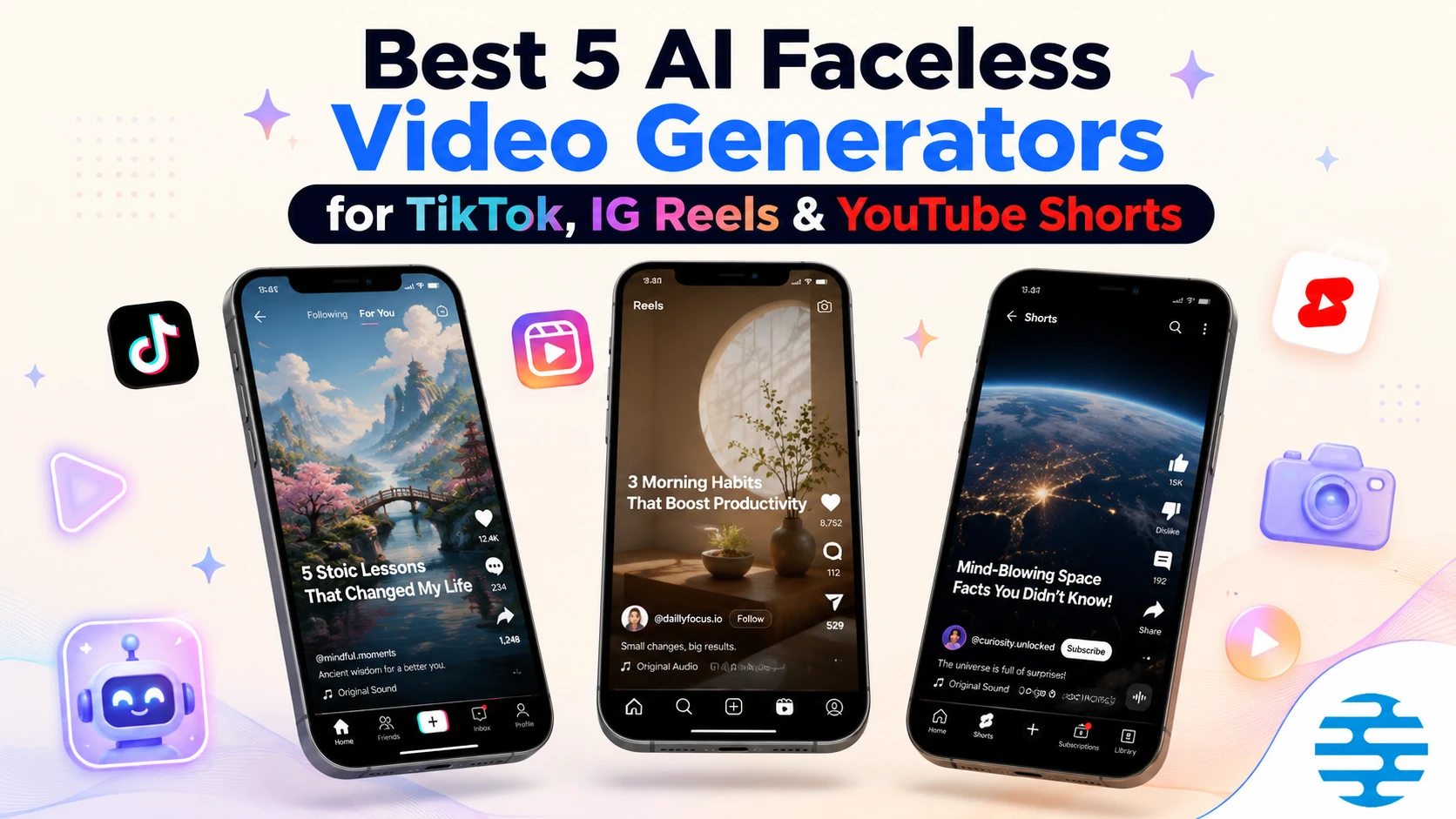
In the landscape of modern social media marketing, faceless content channels have transformed from a niche experiment into a primary source of organic reach. Platforms like TikTok, Instagram Reels, and YouTube Shorts prioritize high-retention vertical videos, enabling creators to scale significant audiences without ever showing their faces on camera. However, producing a steady stream of these videos requires a dedicated pipeline: generating engaging topics, writing hooks, producing voiceovers, aligning subtitles, and sourcing visual backdrops.
To handle this workload, a new wave of automated software packages has emerged. In this guide, we evaluate and rank the five best platforms based on video quality, customization depth, and pricing value.
Quick Comparison
The following table provides a comprehensive overview of how each major video generator performs across core categories, helping you identify which tool fits your production needs.
How We Evaluated These Tools
To establish a fair and helpful ranking, we evaluated each platform against five essential pillars:
- Output Quality: Does the finalized video look professional, or does it resemble generic stock loops? We analyzed subtitle styles, voiceover realism, and how well the visuals matched the spoken narration.
- Creative Control: Can creators edit the generated scripts, swap background clips, or adjust narration speed, or are they locked into a rigid automated system?
- Automation Depth: We examined how many manual steps remain after initial setup, specifically looking at autopilots and scheduling tools.
- Video Format Flexibility: We tested whether the platform is limited strictly to 9:16 vertical shorts or supports landscape 16:9 videos for standard long-form hosting.
- Value & Pricing: We calculated the cost per video across starter tiers to ensure creators get maximum returns on their subscriptions.
The Best AI Faceless Video Generators in 2026
Below are the detailed, individual reviews for each of the five ranked tools.
#1 InVideo AI
Best Prompt-to-Video Creator with Rich Stock Libraries
InVideo AI is an AI-powered text-to-video generator that converts detailed text prompts into complete videos. It operates using an interactive prompt-driven chat interface, allowing creators to type instructions to swap clips, rewrite script segments, or modify voiceovers. The tool is highly suited for creators who want to build high-production shorts using premium stock footage.
The platform enables users to guide video creation using conversational text prompts. However, it requires manual execution and action for each video. Starting at $17 per month (billed annually) or $20 per month (billed monthly), the platform offers 75 credits per month, access to premium AI models (including Kling 3, Veo 3.1, and Seedance 2.0), 100 iStock downloads, and 20 GB of storage, but it lacks hands-free automated posting and channel scheduling tools, making it best suited for creators who want to edit scripts manually.
Key Capabilities
- AI prompt-to-video script writer
- Access to premium stock library (Shutterstock)
- Interactive prompt-driven edit chat
- Multi-language video translation and voice generation
- Landscape (16:9) and square (1:1) video format support
- Custom script editing panel and media replacement timeline
Pros
- + Extremely rich stock video and media database (millions of premium Shutterstock clips)
- + Easy to modify scenes, voices, and script styles via text commands
- + Supports multiple aspect ratios for YouTube, Instagram, and TikTok
- + Allows importing custom voice recordings to override AI speech
Cons / Limitations
- - High starting subscription price ($20/mo) compared to competitors
- - Lacks hands-free automatic social media auto-posting and queue scheduling
- - Imposes heavy watermarks and limited video resolution on the free tier
Verdict: Choose InVideo AI if you want high-quality stock video sequences and don't mind manually editing and uploading them.
#2 Faceless.so
Automated Series Posting for Hands-Off Channels
Faceless.so is an AI-powered video creation platform designed to automate the generation and scheduling of faceless video content. It allows creators to input text prompts, Reddit threads, or blog articles to generate complete video files, automatically overlaying narration, background music, and relevant visual backdrops.
The platform features direct integrations to post content directly to YouTube, TikTok, and Instagram, making it useful for creators running hands-off pages. The basic tier starts at $29 per month and provides 500 credits per month (generating roughly 25-30 short videos, with each video consuming about 15-20 credits), but it restricts users to a single active channel or series while offering minimal timeline customization or granular editing controls.
Key Capabilities
- Reddit thread scraper and blog post text converter
- Direct auto-posting integration to TikTok, Instagram, and YouTube
- Recurring niche series scheduler (autopilot series)
- Automatic subtitle sync with basic visual themes
- Bulk drafting and publishing dashboard
- AI-driven thumbnail ideas and topic brainstorm helper
Pros
- + Set-and-forget publishing directly to social networks without manual rendering
- + Quick generation workflow from simple prompts or external links
- + Very convenient for bulk-generating low-effort content series
- + Clean, intuitive SaaS dashboard for managing multiple active series
Cons / Limitations
- - Lack of granular timeline and script editing controls (hard to adjust timing or visual layers)
- - Each plan limits you to a strict number of active series or niches
- - Polarized user reviews regarding billing issues and difficulty canceling plans
Verdict: Choose Faceless.so if you want quick series automation from source links and minimal editing needs.
#3 Narasi AI
Editor PickBest for Complete Creator Control and Video Timeline Customization
Narasi AI is an all-in-one faceless short video generator and editor designed to help content creators generate engaging short videos from text scripts. The platform features an all-in-one generation flow that guides users step-by-step: brainstorming content ideas for your channel, utilizing the AI script generator for attention-grabbing hooks, selecting realistic voices in the AI voiceover engine, syncing auto-generated subtitles, and compiling AI-generated B-roll or custom footage.
The platform supports various content structures, including popular countdown-type formats and continuous series-type channel series. While hands-free social channel scheduling is currently on the product roadmap, the basic $15 per month plan offers enough video generation credits to compile 20-30 high-quality faceless videos, providing excellent value for scaling channels.
Key Capabilities
- AI Content Ideas Brainstormer
- AI Narration Script Generator
- AI Voiceover Engine with Realistic Tones
- Auto-Generated Captions & Subtitles
- AI B-Roll Generator & Custom Image Sync
- Step-by-Step Timeline Video Editor
- Support for countdown-type and series-type layouts
Pros
- + Affordable entry-level price ($15/mo) providing enough credits for 20-30 videos
- + Granular step-by-step customizer on a detailed video timeline (editing script, voice, subtitles, footage)
- + Built-in countdown-type and series-type templates suited for viral faceless niches
- + Completely free-to-use plan (3 free videos with full editing features)
Cons / Limitations
- - Auto-posting and social scheduling are not yet available (planned roadmap update)
- - Supports only vertical (9:16) format outputs
- - AI voices library is currently smaller than specialized standalone TTS engines
Verdict: Choose Narasi AI if you want professional quality, custom scripts, and precise timeline editing at the best price.
#4 AutoShorts.ai
Simple Autopilot Social Video Scheduler
AutoShorts.ai is a specialized automated video scheduler designed to generate daily short-form videos matching a specific niche and schedule them to social channels. The tool allows creators to run automated campaigns with minimal manual configuration, helping build constant social media reach.
The platform starts at $19 per month, which covers 3 video posts per week (roughly 12-13 videos per month) scheduled directly to TikTok and YouTube Shorts. However, each subscription tier locks the user to a single niche series and a single channel, and it lacks timeline editing or script revision panels, which can sometimes produce repetitive visual layouts.
Key Capabilities
- Daily automated scheduling pipelines
- Direct TikTok/YouTube API posting
- Background audio mixing & text syncing
- Simple niche category selector and prompt assistant
- Direct channel integration (set-and-forget autopilot)
- Multi-channel dashboard for higher tiers
Pros
- + Hands-off set-and-forget channel manager requiring no manual daily action
- + Consistent publication schedule keeps your channel active and favored by algorithms
- + Very straightforward initial setup flow
- + Includes auto-generation of subtitles and voice matching
Cons / Limitations
- - No timeline customizer or script editor (cannot modify the video or text before it publishes)
- - Basic plan ($19/mo) restricts you to a single channel and niche
- - Higher risk of repetitive content flags on social platforms due to standardized templates
Verdict: Choose AutoShorts.ai if you want a simple daily post generator and don't need to tweak the videos.
#5 Faceless.video
Multi-platform Niche Channel Auto-publisher
Faceless.video is an AI-powered automated video creation tool that generates and schedules faceless short-form videos for TikTok, Reels, and YouTube Shorts. The platform leverages templates and scheduled series topics to post content automatically.
The service has subscription tiers starting around $20 per month (for basic story series) up to $35 per month (for standard POV/Sora styles with auto-posting). Although it simplifies daily posting, user feedback has been polarized regarding technical bugs in draft saving, delayed customer support, and billing cancellations, and it offers limited options for editing video scripts or rearranging visual timelines.
Key Capabilities
- AI-driven topic series generation
- TikTok, Reels, and Shorts API integrations
- Basic captions and voice options
- Advanced AI models integration (VEO, Sora, Viral Clone)
- Recurring series automation and calendar scheduler
- Support for custom script prompt injection
Pros
- + Convenient auto-publishing for multiple networks (TikTok, YouTube, Reels)
- + Diverse niche templates available
- + Saves significant time in compiling daily and weekly shorts
- + Simple draft preview panel before scheduled publishing
Cons / Limitations
- - Support delays and billing concerns highlighted by users on third-party sites
- - Limited options for editing video scripts or rearranging visual timelines
- - Prone to occasional generation bugs and processing delays
Verdict: Choose Faceless.video if you want to experiment with multiple platform autopilots and don't need manual timeline edits.
What to Look for in a Faceless Video Generator
When selecting a tool for your channel, it is important to look past basic marketing claims and focus on technical parameters that impact your daily workflow.
Automation vs. Creative Control
Set-and-forget autopilots are convenient, but they carry a major disadvantage. Without the ability to modify narration scripts or customize background footage, you risk publishing repetitive content. Social media algorithms, particularly on YouTube and TikTok, actively detect and penalize low-effort duplicate videos. Look for platforms that offer a visual script editor and video timeline customizer so you can insert unique angles, refine hooks, and maintain human quality control.
Voiceover and Subtitle Polish
A video’s audio track is just as critical as its visual layer. High-quality text-to-speech engines should offer natural-sounding voice models with varied inflections, pacing, and multi-language support. Robotic or overly synthesized voices reduce viewer retention almost instantly. Similarly, subtitles must be highly legible and dynamic, styled to match popular social media trends to keep viewers engaged throughout the entire video.
Multi-Format and Platform Support
Most creators begin by targeting vertical formats for TikTok or Shorts, but long-term growth often requires multi-format distribution. If you plan to expand into standard YouTube videos, choosing a tool that supports both vertical 9:16 and landscape 16:9 formats prevents you from needing to pay for multiple software tools. Ensure the tool you pick supports the video layouts and dimensions needed for your specific platforms.
Stock Sourcing vs. Generative Assets
Video generators use two main methods for visuals: pulling from stock video databases or generating custom AI images. Sourcing stock footage works well for general topics, but can feel repetitive. AI-generated imagery provides unique visuals tailored to your script, but requires a high-quality model to look professional. A platform that allows you to sync custom uploads alongside AI images provides the best of both worlds.
Final Verdict
Your choice of a video creator depends on whether you value hands-free daily publishing or detailed custom editing:
- Choose InVideo AI if: You want premium stock footage and require support for both landscape and vertical videos, and you do not mind handling your own channel uploads.
- Choose Narasi AI if: You want the best balance of custom script editing, content ideation tools, and timeline customizers at a highly affordable price ($15/month). It is ideal for creators who want to refine their videos before publishing.
- Choose Faceless.so or AutoShorts.ai if: You are looking for a hands-off, set-and-forget autopilot channel manager that automatically schedules daily uploads in a single niche.
- Choose Faceless.video if: You want to test multiple automated niche series and don’t require advanced editing timelines.
Frequently Asked Questions
Can faceless channels get monetized on YouTube and TikTok?
Yes, faceless channels can be monetized. Both platforms allow monetization as long as the content provides educational, creative, or entertainment value and complies with their guidelines. To avoid being flagged for 'reused' or 'repetitive' content, it is highly recommended to customize your scripts and edit the visual layout rather than publishing generic, unedited AI-generated templates.
Do AI faceless video generators support automatic social media posting?
Yes, some automation-focused platforms offer direct integrations with TikTok, YouTube, and Instagram to schedule and publish videos automatically. Other editor-focused platforms require you to download the completed video files and upload them manually, which gives you the chance to review and refine the quality before publishing.
Can I use AI faceless video generators for free?
Yes, most platforms offer free trials or free plans with a limited number of credits. These allow you to test scriptwriting, voice quality, and editing workflows. Some free tiers may include watermarks or restrict output resolution.
What is the typical cost of using an AI faceless video generator?
Subscription plans generally range from $15 to $35 per month. The cost varies based on the number of video generation credits, video resolution, access to premium stock libraries, and whether auto-posting features are included.
How do I choose between an automated scheduler and a timeline video editor?
Choose an automated scheduler if you want a hands-off, set-and-forget setup to keep a channel active with daily posts. Choose a timeline video editor if you want precise control over the scripts, specific clips, voice pacing, and subtitle placement to ensure higher quality and original branding.
What are the most popular niches for faceless video channels?
Common successful niches include motivational quotes, horror/scary stories, countdown lists (e.g., 'top 5 facts'), historical summaries, financial tips, and educational facts. Selecting a niche with broad appeal helps grow your subscriber base faster.
How do these platforms generate background visuals?
Most platforms use one of two methods: generating custom AI images/videos matching the script text, or pulling clips from stock video libraries (like Shutterstock, Storyblocks, or Pexels). Some tools allow you to mix both methods or upload your own files.
Can I translate my videos into multiple languages?
Many advanced AI video generators offer translation features. You can translate your script and generate voiceovers in multiple languages (such as Spanish, French, Indonesian, German, etc.) to target global audiences with the same video content.